youtube-playlist-duration-calculator
YouTube Playlist Duration Calculator
A web extension for Chrome & Firefox that calculates & displays the total duration of a YouTube playlist.
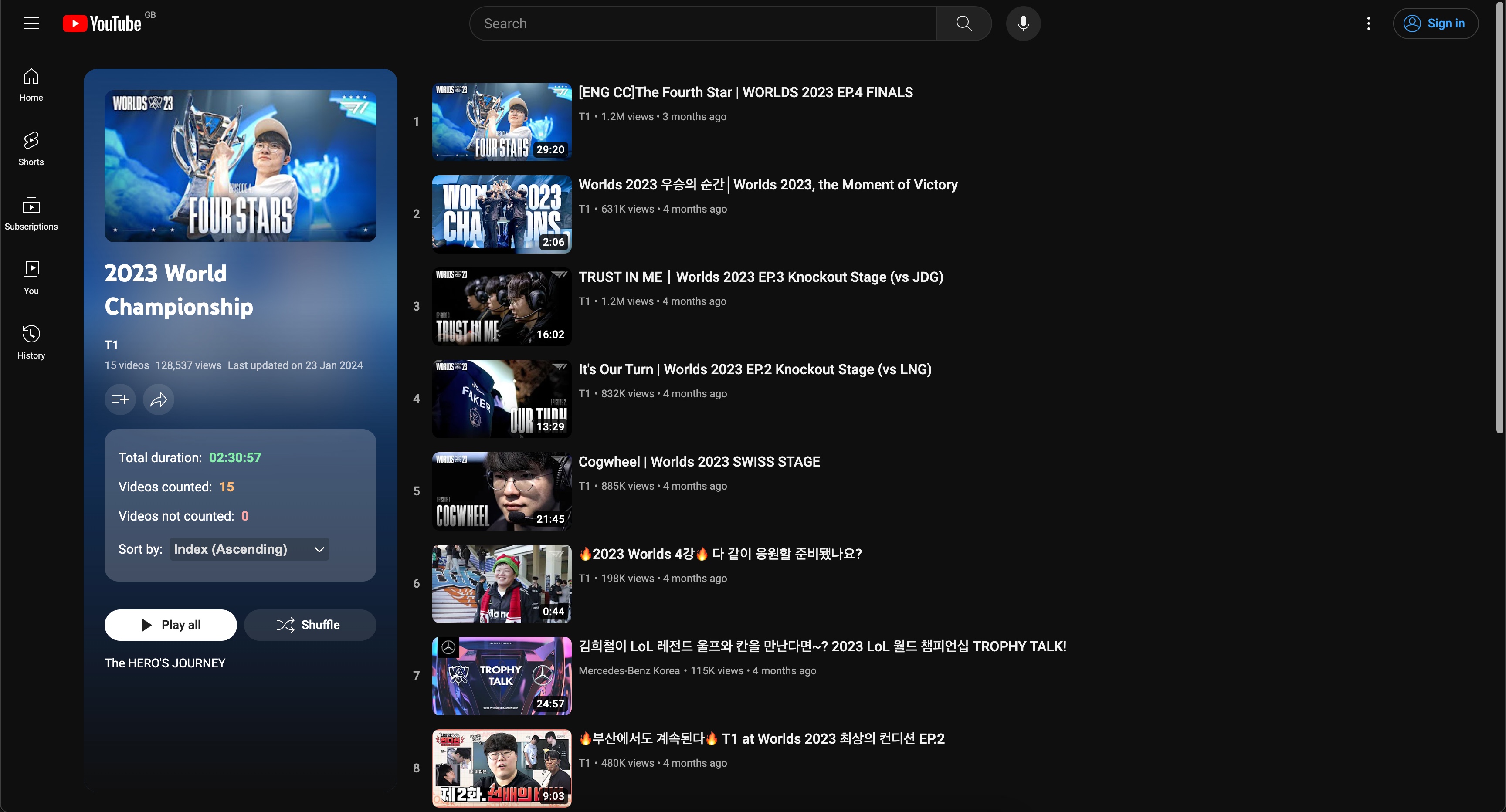
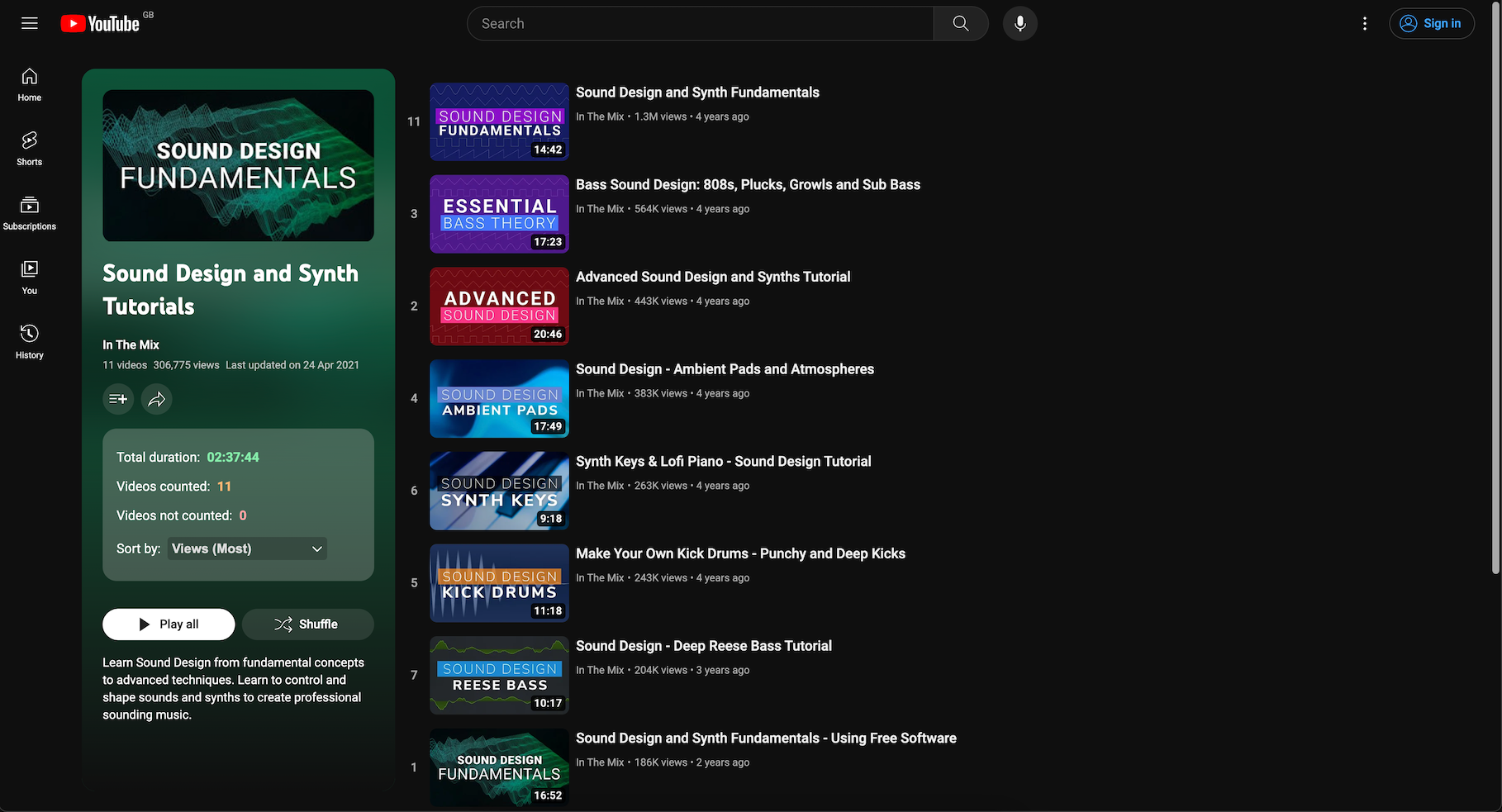
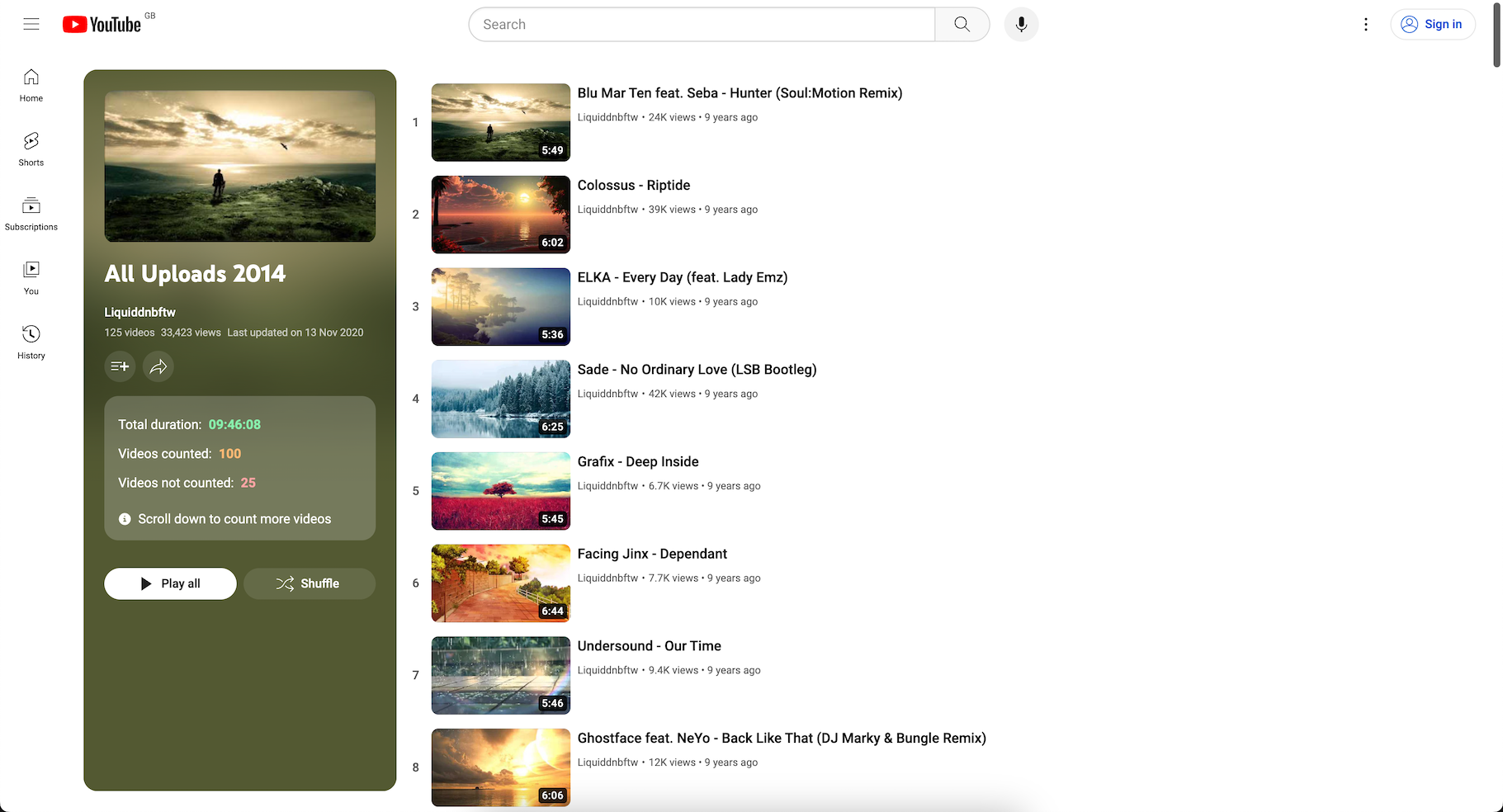
Previews
Get the extension
The extension is available for download at:
- Chrome: Web Store
- Firefox: Firefox Add-ons
Features
- Calculate & display the total duration of a YouTube playlist
- Multi-variant support: Works across different YouTube rendering architectures. These include traditional renderer elements and newer view-model layout.
- Failure signaling: If YouTube’s layout changes in an unsupported way, the extension displays feedback and offers users the ability to report the issue
- Sort playlists with 100 videos or less, by the following criteria:
- Duration
- Channel Name
- Index
- Views (only for some locales)
- Upload Date, only for public playlists and some locales
- Translations for several locales: en, es, fr, pt, zh, pt_BR, pt_PT, zh_CN, zh_TW
[!NOTE]
The sorting feature is only enabled for playlists containing 100 videos or less. This is because for larger playlists (>100 videos), YouTube only loads the next 100 videos after you scroll to the bottom of the page. This can often produce inconsistent & inaccurate sorting results, so it has been disabled for now.
What happens when the extension cannot locate the playlist
If YouTube changes its DOM structure in a way that none of the extension’s strategies can recognize, the extension displays a red-bordered diagnostic indicator inside the playlist summary panel. This indicator includes:
- A clear message: “Unable to calculate playlist duration. This may be due to a YouTube layout change.”
- A “Report this issue” link that opens a pre-filled Google Form with the
extension version, browser, and locale. The form is anonymous and requires
no account, so any user can signal that the extension is broken. (The full
diagnostic snapshot remains in the browser console via
?ytpdc-debug=true.)
To help diagnose issues before they appear as failures, open the playlist page
with ?ytpdc-debug=true appended to the URL. The extension will log detailed
strategy information to the browser console.
Architecture
The extension uses a layered strategy system to survive YouTube DOM changes:
- Desynchronization Detection: Identifies which rendering architecture YouTube is using (“renderer”, “viewmodel”, or “unknown”)
- Discovery Strategies: Find the playlist container using either known CSS selectors or structural invariants (looking for video-card-like elements by their structure, not their tag names)
- Extraction Strategies: Extract timestamps using either known element selectors or content pattern matching (scanning text for MM:SS / HH:MM:SS patterns)
- Confidence Aggregation: Tracks which extraction strategy succeeded for each video and reports an estimated error margin when pattern matching was used
Strategies are prioritized by the detected variant: the strategy most likely to succeed runs first. If it finds everything needed, no further strategies are executed.
Getting Started
This section will explain how to get the project setup locally for development.
Dependencies
To work with this project, you will need the following dependencies:
- Node.js v20+
- https://nodejs.org/en/download
- https://github.com/Schniz/fnm
- https://github.com/nvm-sh/nvm
Get the Source
This project is hosted at: https://github.com/nrednav/youtube-playlist-duration-calculator
You can clone the project locally via:
HTTPS:
git clone https://github.com/nrednav/youtube-playlist-duration-calculator.git
SSH:
git clone git@github.com:nrednav/youtube-playlist-duration-calculator.git
Installation
To install the project’s dependencies:
cd youtube-playlist-duration-calculator/
npm install
Building
Build the extension for a specific browser using:
npm run build:chrome
npm run build:firefox
This will output the extension files into a sub-directory named dist within
the youtube-playlist-duration-calculator directory.
Run
Automatic
Run the project in development mode with:
npm run dev
This will do the following:
- Determine the browser via the environment variable
VITE_TARGET_BROWSER- It will default to Chrome if the variable is undefined
- Build the extension for the selected browser
- Open the selected browser
- Automatically & temporarily load the extension in the opened browser
- Open a test YouTube playlist overview page
Manual
To install & run the extension manually, follow these steps:
Firefox:
- Build the extension with
npm run build:firefox - Install the
web-exttool from Mozilla- Link: https://extensionworkshop.com/documentation/develop/getting-started-with-web-ext/
- Test the extension by running
web-ext runfrom withindist/directory- Visit any YouTube playlist overview page and verify the extension calculates & displays the playlist duration
- Sign the extension with
web-ext sign- Follow the instructions on the same page linked above
- You will need to run this command within the
distdirectory too - At the end, you should have a
.xpifile generated within a sub-directory namedweb-ext-artifacts
- In your Firefox browser
- Navigate to
about:addonsvia the address bar - Click the cogwheel button located at the top-right of the page
- From the dropdown, select
Install Add-on From File - Locate & select the
.xpifile generated in a previous step - The extension should now be installed
- Navigate to
Chrome:
- Build the extension with
npm run build:chrome - In your Chrome browser
- Navigate to
chrome://extensionsvia the address bar - Select the checkbox next to
Developer Mode - Click the button named
Load Unpacked Extension - Locate & select the
distsub-directory within theyoutube-playlist-duration-calculatordirectory - The extension should now be installed
- Navigate to
To verify the extension works, visit any YouTube playlist overview page & verify that you see the duration calculated & displayed within the playlist information panel located on the left-hand side of the page.
Issues & Requests
If you wish to request a new feature or report a bug, please open an issue by clicking here. Note that the “Report this issue” link in the extension’s failure banner points to a no-account Google Form instead, for users who do not have a GitHub account.
Translations
For a list of locales currently supported by the extension, please see public/_locales
Additional translations are most welcome! Please see docs/translations.md for more details.
Support
If you found this extension helpful and would like to help support its development:
